

Locating your Cloud Name
To connect your account, you will need your Cloud name. Note that this is not your username or account name, but the unique identifier for your media environment.- Log into your Cloudinary Dashboard.
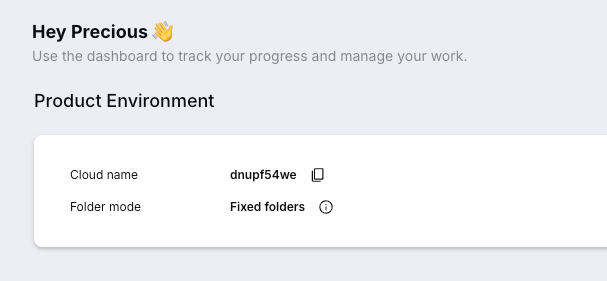
- Look for the Product Environment section near the top of the dashboard.
- Your Cloud name is displayed there alongside your Folder mode.
Connecting the Integration
Once you have your Cloud name:- Open your Dreep project and navigate to the Integrations page.
- Click Connect on the Cloudinary card.
- Enter your Cloud name. You will be redirected to Cloudinary to authorize Dreep to access your account via OAuth.
- After authorization, you will be redirected back to Dreep.